Document home automation. In the electrician's project.
You plan functions, lines and channels right where the circuits already are.
- KNX or vendor-neutral
- No payment details
Say what the room should do.
The assistant creates functions and push buttons. The list of functions by room follows from that.
Lines with a bus budget.
Devices per line and their current draw sit in the project, not in a side calculation.
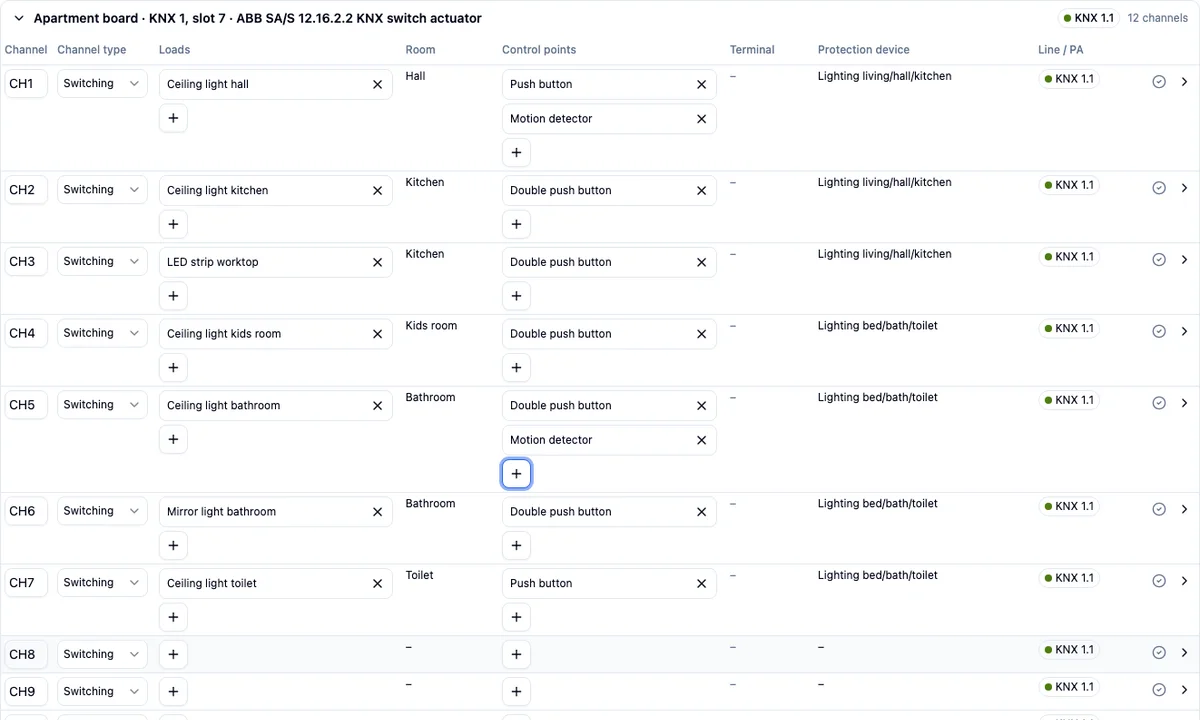
Every channel has its place.
Actuators in the board, channel plan for the board door, terminal plan for assembly.
One state for you and the electrician.
They see your channels, you see their circuits. Roles decide who edits and who reads.
Dossier and files for ETS.
Channel plan, terminal plan and functions by room as PDF. For KNX, addresses and files for ETS as well.
What changes for your office.
Enter it once
Rooms and devices come from the electrical project.
Two trades
Electrician and integrator in the same state.
All installations
Every address in one overview.
Documents
Channel plan, terminal plan, functions by room, dossier.
Your AI
Assistant, dictation, Claude and ChatGPT.
Three steps to your first installation.
Start the trial month
With your company's VAT number, no payment details.
Get invited or invite
The electrician shares their project, or you invite them into yours.
Guided step by step
Short guides as video or picture series, matched to where you are.
Learn and look up.
Guides, technical articles and the AREI/RGIE in full text. All freely accessible.
Manual
All guidesStart with the diagram.
No account, no install, no payment details.