PlanElec ProDistribution board
From circuit to distribution board.
Pro already knows your circuits. The board grows out of them, not next to them.
Step 1
Filled automatically.
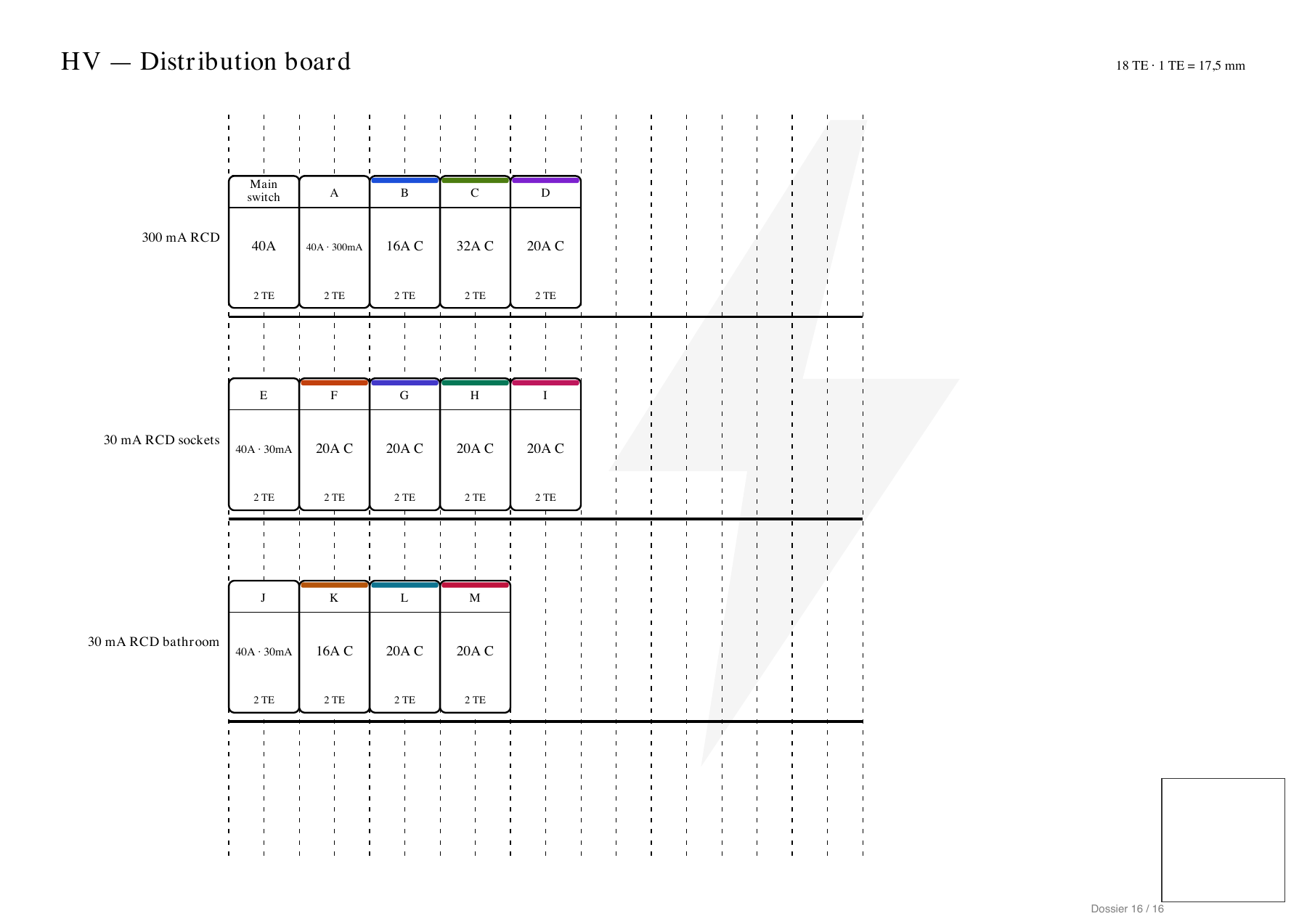
Protective devices go onto the DIN rails, spare space stays free. You get a proposal.
Step 2
You arrange. The plan remembers.
Move modules, set busbars and links. Known positions stay where they are.
Step 3
The board layout for the dossier.
As PDF, from the same state as the single-line diagram and situation plan.
What else the editor does.
Recognise from photos
Photograph the existing board, check the DIN modules and accept.
Suggest an enclosure
From module widths, spare space and accessories. An estimate that you confirm.
Home automation and KNX
Channel plan and terminal plan come from the same board.
Coming from Trikker? Just keep drawing.
- Compatible with .trik
- Imported quickly
- Your original is kept
Learn and look up.
Guides, technical articles and the AREI/RGIE in full text. All freely accessible.
Manual
All guidesStart with the diagram.
No account, no install, no payment details.