Document export
Exporting documents and assembling a working dossier
See which PDFs PlanElec creates, which outputs are available or in pilot, and what to review before sharing or inspection.
 AuthorStephan Behm
The export workspace brings together documents from the same project model. You can download documents separately or combine selected parts into one working dossier.
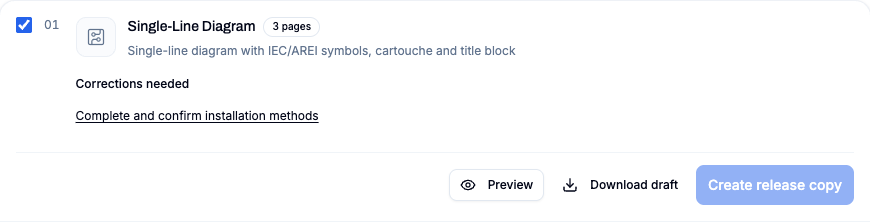
Status at a glance
| Document | Current status | What to know |
|---|---|---|
| Single-line diagram PDF | Available | Can span several pages; review scale, symbols, and title block. |
| Situation plan PDF | Available | Based on the drawn floor plan and placed symbols. |
| AREI/RGIE self-check report | Available, advisory | Not a certificate of conformity or a replacement for the official inspection. |
| Circuit, cable, and material lists | Pilot workflow | Model-based, manufacturer-neutral lists; not approved for ordering. |
| Distribution board PDF | Feature flag | Shown only when enabled and board data is present. |
| Combined installation dossier | Pilot/working state | Selected documents with cover, index, and continuous page numbering; versioned server archiving is available once export readiness is met. The archive confirms origin and file integrity, not electrical acceptance. |
Single-line diagram PDF
The single-line diagram uses the electrical topology, protection devices, circuits, cable data, and consumers. Larger installations are divided across several pages.
Before downloading, check:
- that every consumer path reaches the correct breaker and RCD;
- that cable type, cross-section, and labels are present;
- that spare modules do not appear as active circuits;
- that the project and installer details in the title block are correct;
- that no content is clipped at a page edge.
Situation plan PDF
The situation plan shows the drawn rooms, openings, and electrical symbols in their locations. Review every floor separately and check for overlapping labels, missing devices, and legibility at the selected A4 or A3 format.
The situation plan and single-line diagram share project notes and other title-block details. Correct those details in the project instead of editing an individual PDF.
AREI/RGIE self-check report
The report summarizes findings that PlanElec can evaluate from the entered data and supported rules. It also states when a check has not started, is incomplete, or falls outside the current coverage.
A report with no detected error does not mean the installation complies with AREI/RGIE. Measurements, evidence, on-site conditions, and rules that are not modeled remain outside a software check. Only a recognized inspection body performs the official inspection.
Circuit, cable, and material lists
These lists are available in the central pilot workflow:
- Circuit list: overview of modeled circuits and protection devices.
- Cable list: cable segments with specifications and calculated or manual length.
- Material list: manufacturer-neutral quantities for wiring accessories, connections, protection, board, accessories, and net cable lengths.
The material list can be viewed by category or room and exposes its default assumptions. It includes no prices or specific manufacturer products. Net cable lengths have no automatic waste or reserve factor. Use it as a review and quotation starting point, not as a purchase order.
Distribution board PDF
The PDF view of the distribution board is only available when the cabinet_export feature flag is active and the project contains board data. If the option is absent, that is not an export error: the feature has not been enabled for that environment.
Assemble an installation dossier
Select the required documents in the dossier builder. PlanElec creates a cover, document index, and continuous page numbering locally, then merges the selected PDFs in a fixed order.
The draft remains a working and review document. Once export readiness is satisfied, PlanElec can archive an immutable, versioned document on the server. Archiving confirms origin and file integrity; it is not an electrical inspection, a certificate of conformity or an electronic signature. Later project changes do not change an archived document. Check the saved project state again before creating a new export.
Review project metadata
Open the project details from the export area and check at least:
- customer and installation address;
- installer and contact details;
- inspection body;
- Belgian EAN;
- residential or non-residential installation and AC/DC designation;
- plan format, revision, and project notes;
- logo, if used.
An invalid EAN is not rendered as a valid number, but Early Access does not automatically block the download.
Final check before sharing
Open the downloaded file outside PlanElec and review every page. Check page order, legibility, metadata, warnings, and missing parts. Keep the project version used to create the document and have the result reviewed by the responsible electrician.
Need to review the project model first? Start with Getting started or learn how to review automatic planning.
Important for electrical planning
These guides explain the software workflow. Have the design, installation and documents reviewed by a qualified electrician where needed; only an accredited inspection body performs the official inspection.
Continue reading
Getting started: from project to first export
Build a PlanElec project step by step: project details, floor plan, rooms, electrical devices, distribution board, diagram, and export.
Using and reviewing automatic planning
Use PlanElec proposals for devices, switch chains, cable routes, circuits, phases, and the distribution board without skipping technical review.